Maker Lab 1
Portfolio 2025/2026
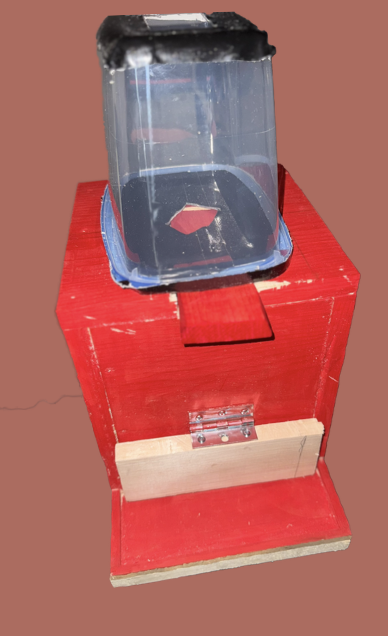
For our GMP1 assignment, we were tasked to "hack the traditional function of a box." My group decided to create a letterbox - you put a letter in and receive a letter in return. We wanted to tackle the social issue of mental health since we all knew people around us who had been affected by it. Our main goals when making this project were to strengthen mental health and well-being, and to create a positive reinforcement cycle (a self-renewing cycle of positive notes and letters within the community). We would also have recording options to improve accessibility, because we acknowledge that not all users can write/read a letter.
We loved this idea so much that we decided to carry it on to our GMP2 assignment.
27.8 million
“Of Americans under the age of 65 are living with a mental health condition (Foundation Fighting Blindness 2025).”
Background
Mental health affects millions of people every year. I am sure you and I both know people personally who have been affected by it. Mental health sometimes isn’t an easy problem to spot, either, often leading to stigmatization around the topic. We aimed to make people’s days a little better with a positive saying or encouraging letter that people can take on the go.
75%
“ Of post-secondary students report struggling with their mental health (Universities Canada 2025).”
46%
“Of post-secondary students have experienced depression, and 38% have experienced suicidal thoughts (Universities Canada 2025).”
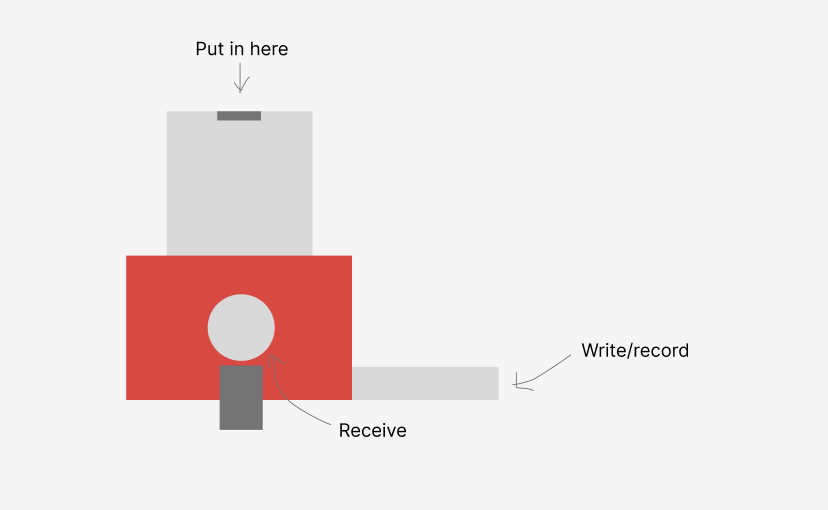
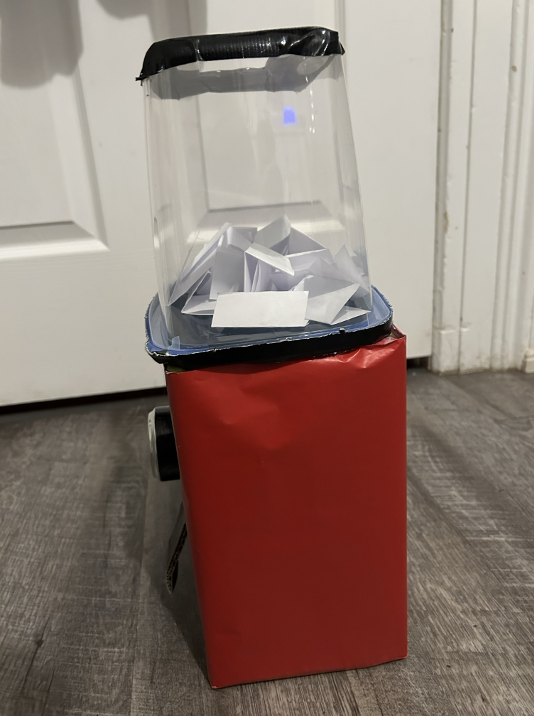
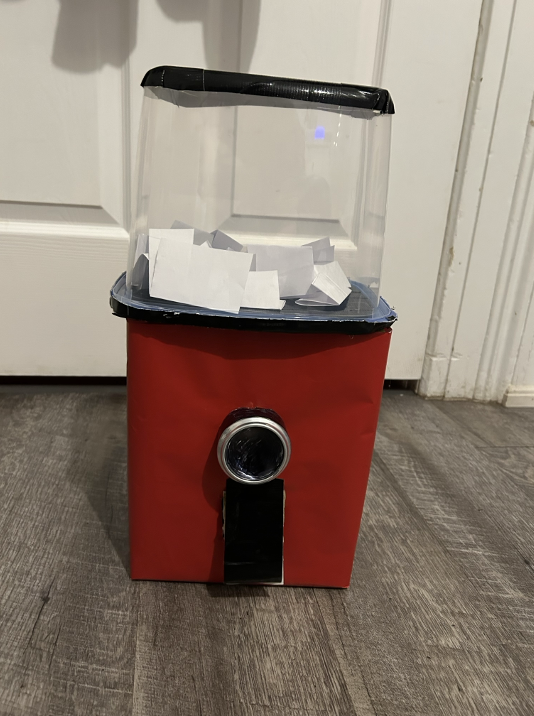
We had problems with the materials we had used; the plastic on the top had cracked multiple times when I was trying to cut into it. I ended up having to use a hot exacto knife to cut through them, which took me at least half an hour to do. I also found the top of our box kept falling off; the hot glue was not enough to hold it together. In the future, we should reinforce it with tape or maybe superglue. Last, the paper we had used to colour the box (red wrapping paper) would fold and make the box look messy. I had to wrap the box multiple times because even the smallest movement would crease the paper and make it look unprofessional.
Looking back, I learned that to look good, you need to buy higher-quality materials, even if it costs more. All our materials were from the dollar store or reused, and even though they worked, our box and the design process would have been much smoother with more durable materials. In a perfect world, the plastic wouldn’t have cracked that easily, and the wrapping paper wouldn’t have creased. I have also learned that constant communication within a group makes it way easier to achieve what you are trying to achieve.
GMP1- Prototyping
After we came up with our idea, we had to figure out how to build our box. We wanted our project to look like something users would know how to use. We decided to go with either a mailbox or a gumball machine because there's a chance our users had used these machines before. We settled on a gumball machine because it would be easier for us to build and show users how to use it.
What we learned
Materials were not durable enough.
Filtering issue (people can write whatever they want too)
Not environmentally friendly
Not friendly for people on the go
GMP2
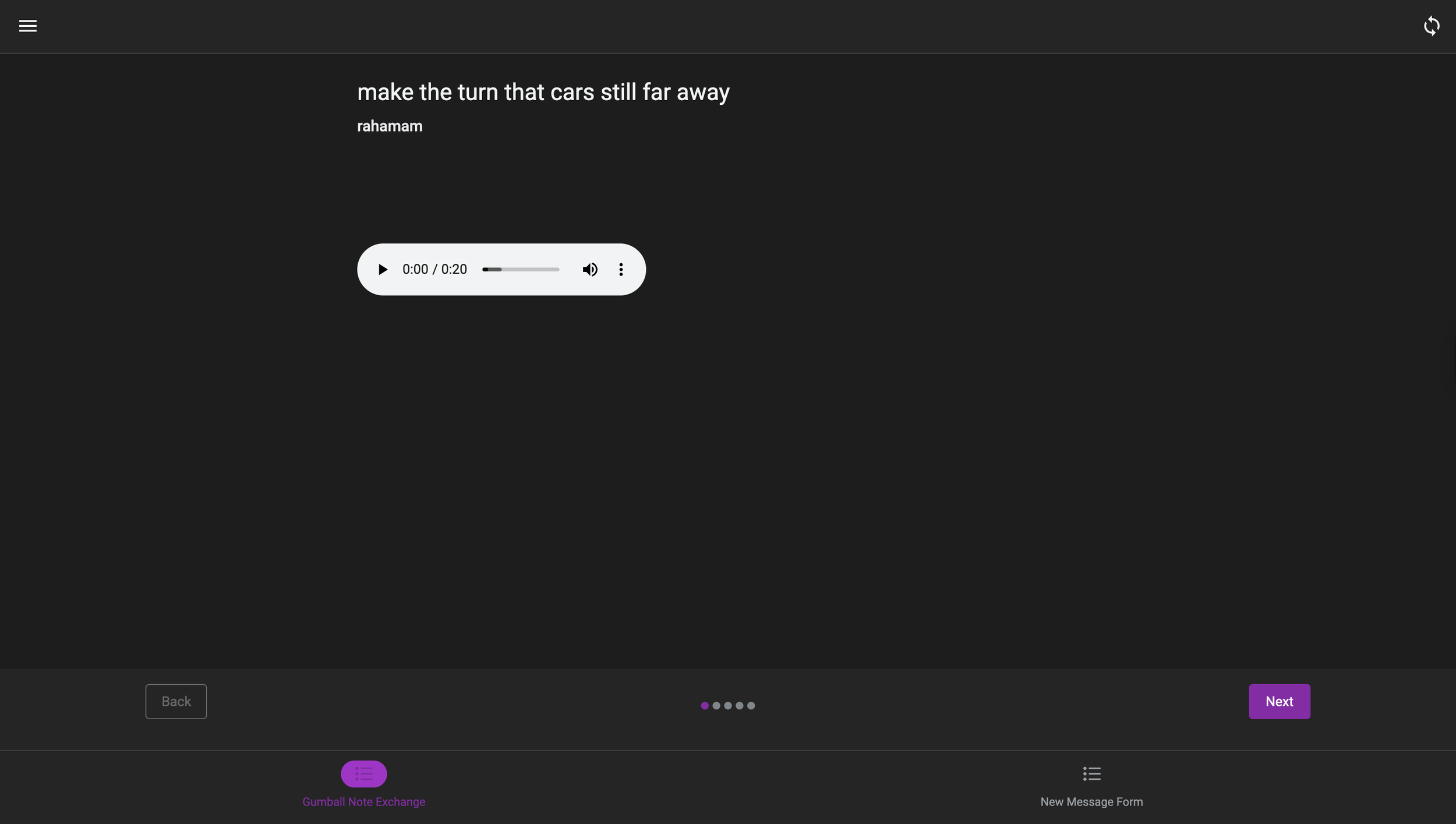
For our second box, we wanted to make it functional this time and add in features. We focused heavily on the QR suggestion, which was brought up during our GMP1 presentation, and decided to make a whole mock-up of what users would see when they use the QR code. We also addressed several concerns when it came to the issue of filtering. Our original idea for the box was to have two different sections, so when the user puts in a letter, it would get caught in the first section. We would then take those out and manually sort through them, and put them in the second section, where users would be able to get a letter out. We also included our filtering system online, which is done through Google Sheets. We encountered issues when it came to the functionality of our box, as when we all gathered for a meeting before the presentation, it didn’t work. I think there was a little miscommunication with the one making the box, which left us with just a wooden box (which we realized wasn’t much of a step up compared to the wooden box). We then quickly worked overnight to try to get the box working. Everything worked out in the end (and now I own a saw!).
Letter box final prototype
Online Mockup- Homepage
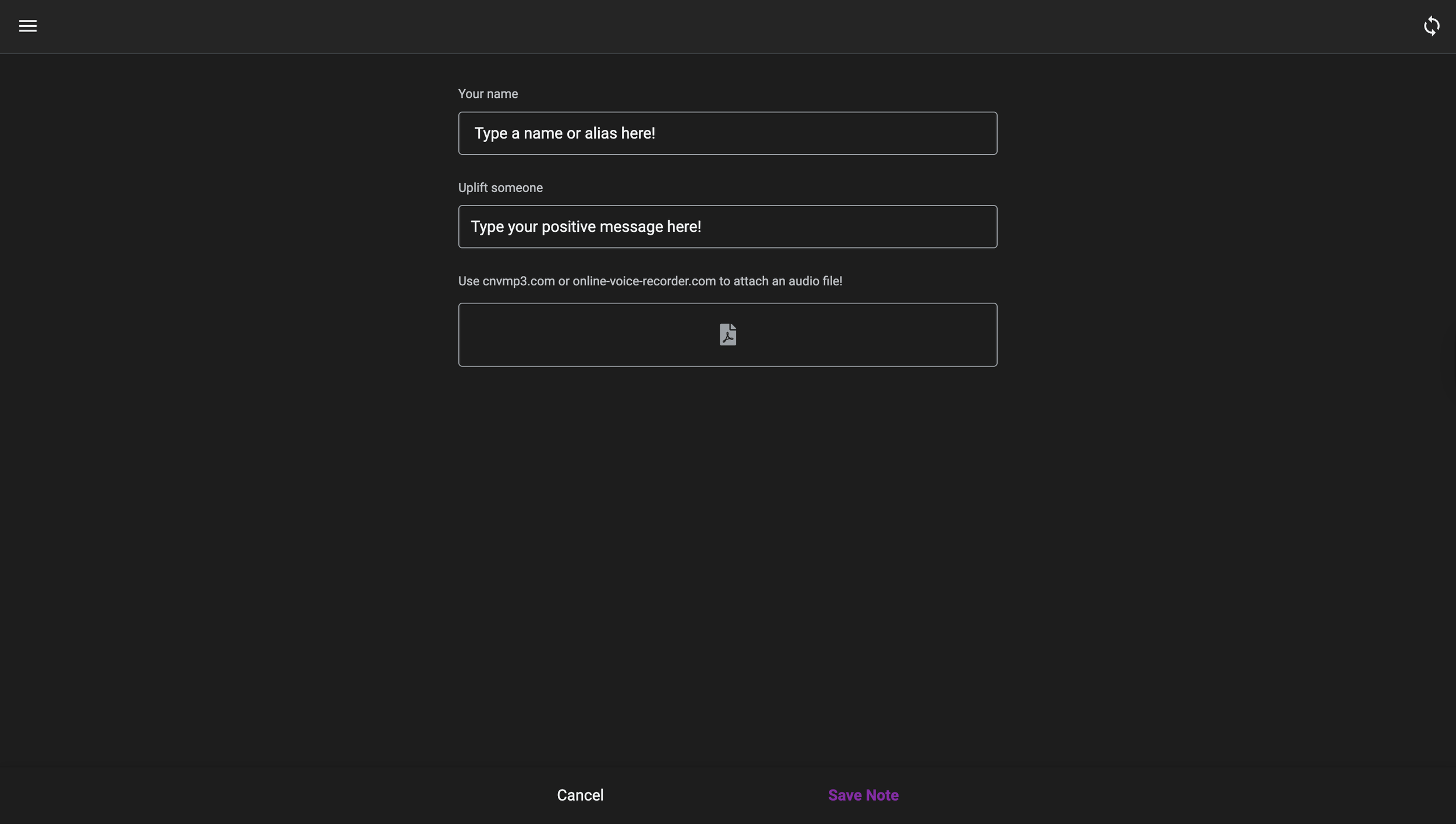
Online Mockup- Write a message
What I have learned…
I think, as a designer overall, these projects have made me step out of my comfort zone and make something physical. I am not a very artistic person, so crafting these boxes myself was an experience for me. I feel like most of the UX course itself is just mocking up websites and digital products, which is good to know, but crafting real-life prototypes is also a critical part of UX that we don’t get to learn as much.
Maker Lab 2
For our Somatic Design Project, we were tasked to make a product that interacted and supported our senses. Our group came up with Aqualert, a bracelet that detects when a child is outside the set bounds and alerts the parent and kid that they are. We aimed to keep children safe and ease the stress of parents. Curiosity is a natural part of childhood, but for busy parents, it can quickly become a safety concern. Around water, that curiosity can turn into real risk. We decided to combat that.
In the United States
Children from ages 1-4 die from drowning then any other cause.
Background
Drowning is the leading cause of death in children. Nonfatal drownings can result in long-term health problems.
4,000
Children die from drowning every year. This means that there are an average of 11 drownings per day.
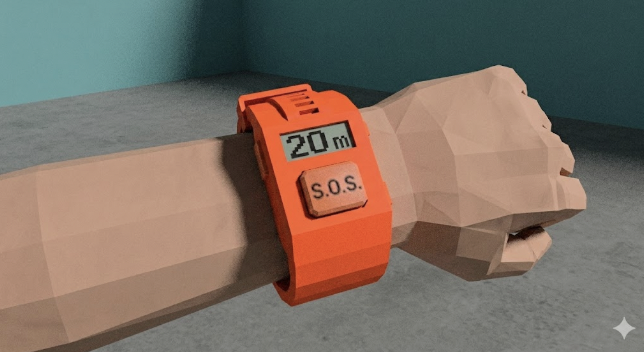
Explain picture of what we thought Aqualert could look like
With the help of Figma AI, we developed a companion app for the bracelet that includes real-time tracking features. If a child moves beyond predefined boundaries, parents are instantly notified and can quickly locate them. The app connects to both bracelets, giving parents full control over distance limits and ensuring the device remains securely in place.
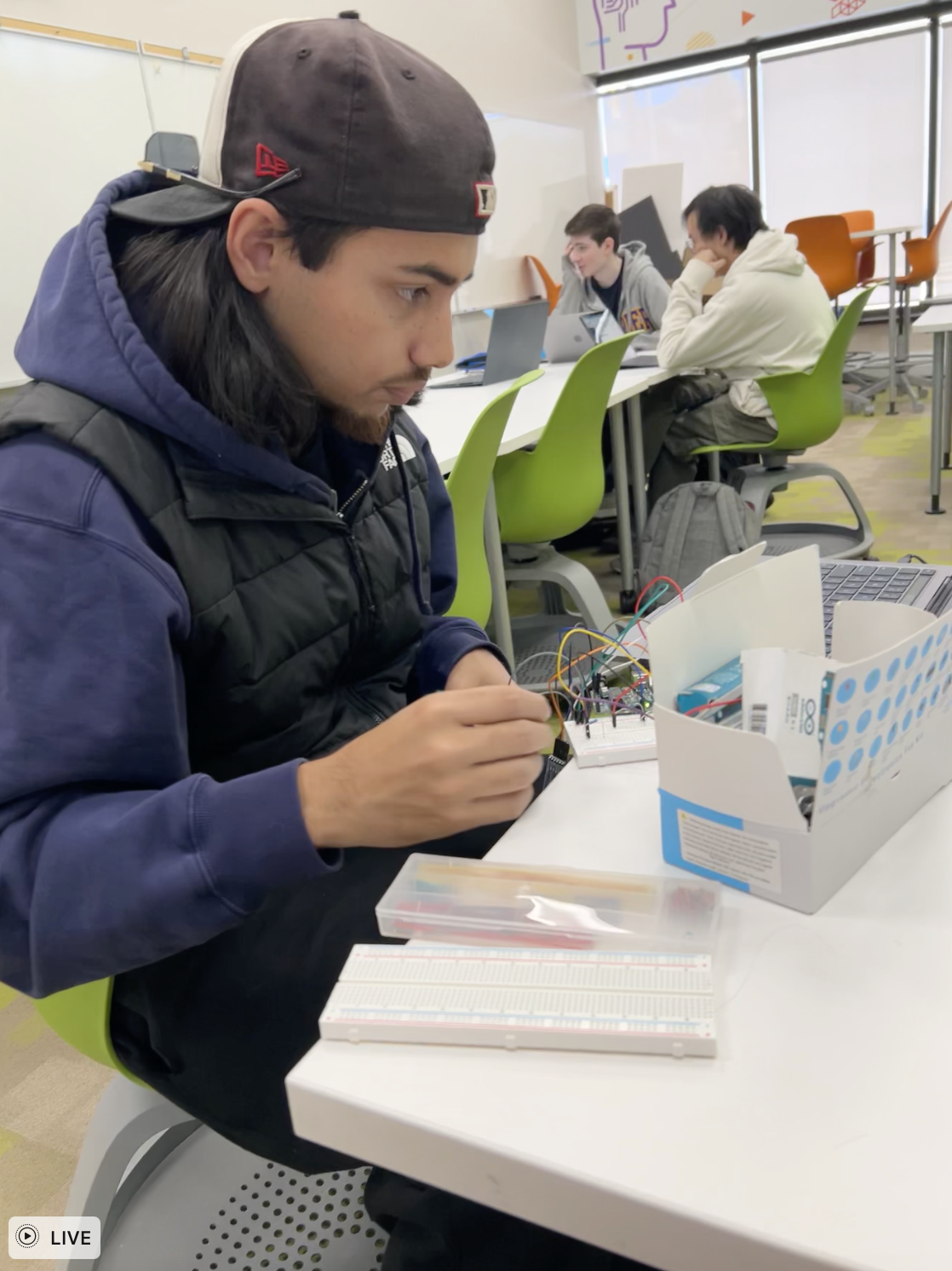
We had problems with the Arduino. Ishan worked hard to get them working multiple times, while Karen and I researched possible solutions. After not being able to get the Arduino to work, our original plan of hiding it in a sock wasn’t going to work, so we scrapped that and included a visual of what we thought our bracelet should look like.
Looking back, I learned that we should have allocated more time and done more research before we purchased/ relied fully on one Arduino product to make our prototype work. We should not have dove in headfirst with a device that only one of us had a little knowledge of. I have learned to always have a plan B, and even a plan C.
Also, we should NOT have just relied on an explanation of the wristbands; we should have made something physical and brought them in to show the class. We did not originally do this because our idea was to hide the Arduino in a sock. Without it working, it didn’t make sense for us to cut up a sock and bring it in. But, I think not having anything other than the Arduino confused the class because, just looking at our prototype, you couldn’t tell what we were trying to do. If we did not have the app, I believe that no one would have known what we were trying to do.
Aqualert- SDP1
After we came up with our idea, we had to figure out how we were going to prototype it. We realized really quickly that it was going to be tough to build something functional and wearable with the Arduino. Our original plan for the prototype included us making a Bluetooth connection
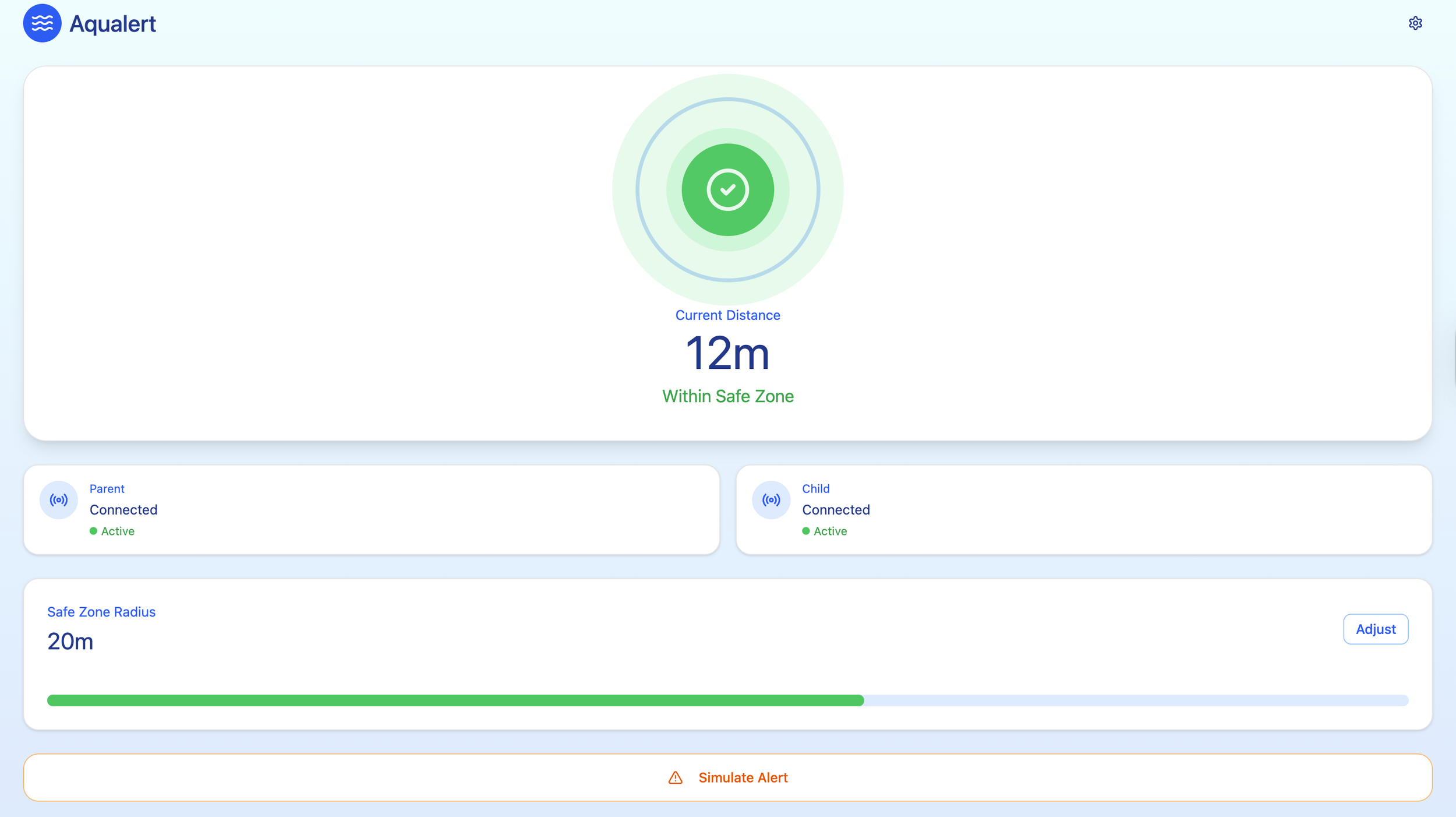
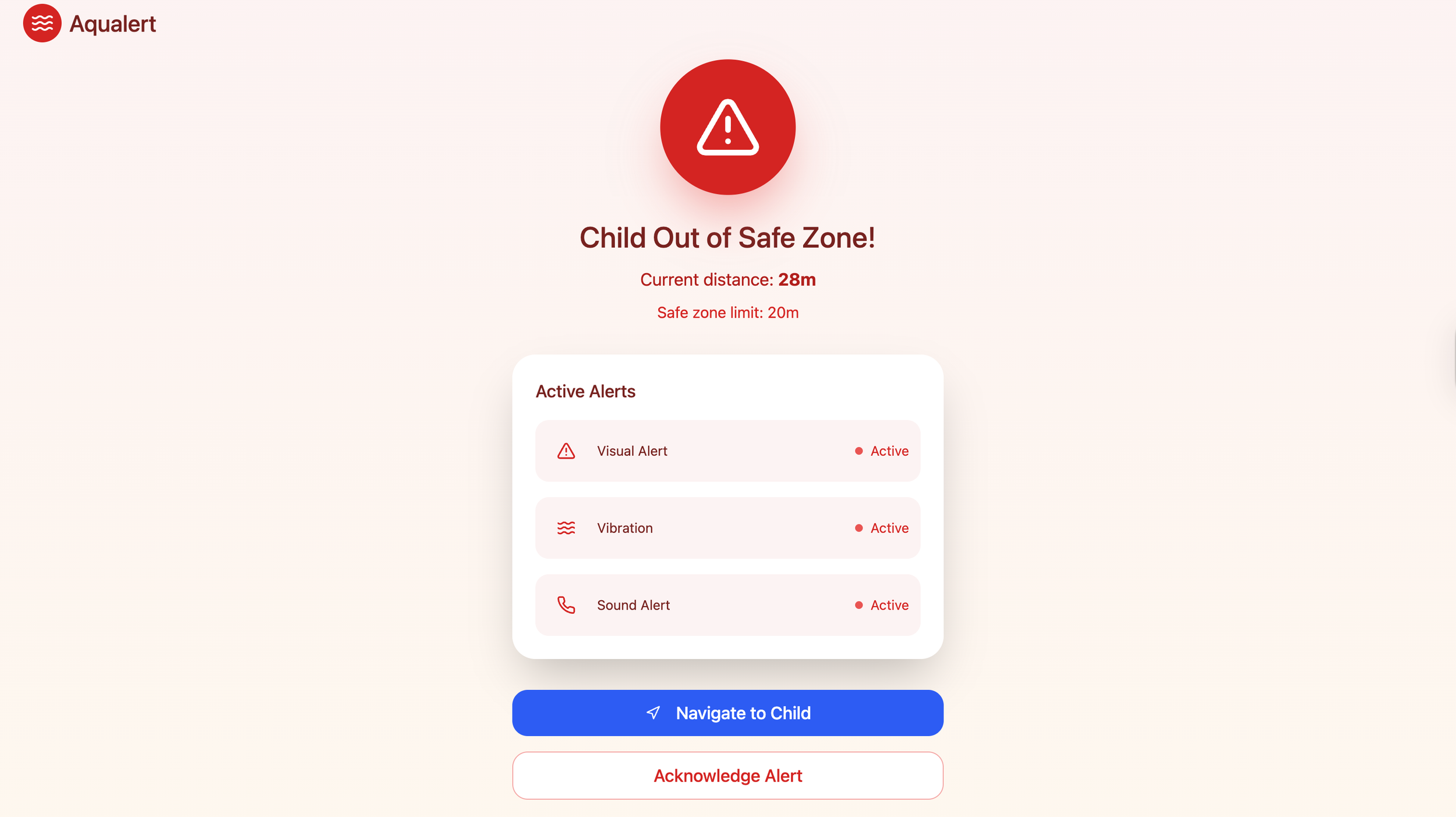
Aqualert app first prototype
What we learned
Time is a VERY important aspect when it comes to prototyping
Just explaining it is not enough - we need a physical prototype in order not to confuse people
Lacks accessibility
Theres’s nothing to alert emergency services
Aqualert-SDP2
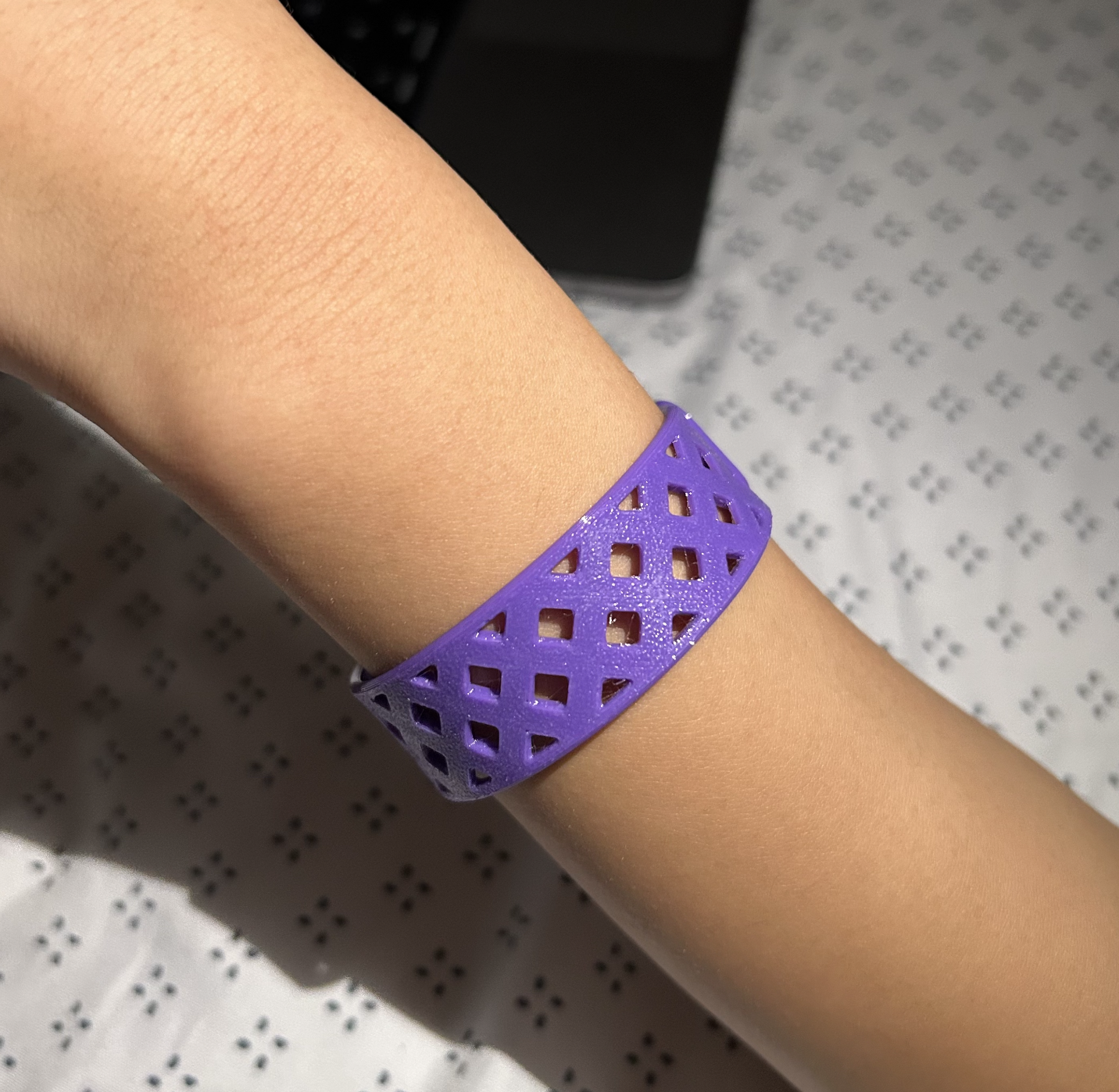
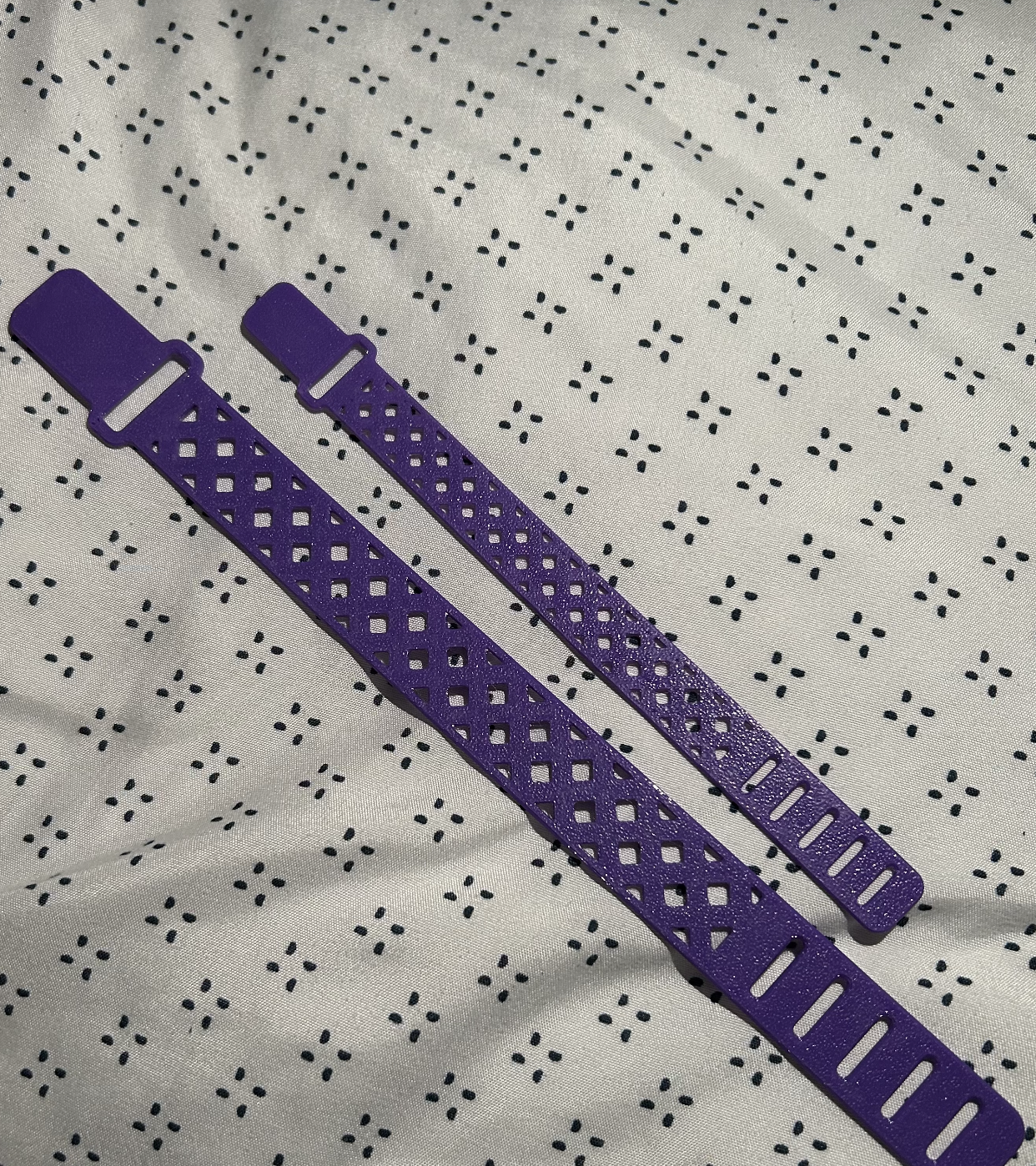
For our prototype, we aimed to make it functional and effective. Our group had differing opinions on how to approach this, as some members felt that the Bluetooth sensors alone did not sufficiently demonstrate how the product was intended to function, and wanted to make the bracelet actually functional. With the limitations of the Arduino, we quickly found out that we couldn’t. With our professor's confirmation, we decided to proceed with 3 separate parts of our prototypes. The first one was the working Arduino, 3D-printed model, and working app. To fix the Arduino problem, we decided to purchase new modules, and once we did, the code worked right away. We decided to include a 3D-printed model because it provided a good visual representation of what we wanted the bracelet to look like, while also showing how it could be bendable and waterproof. We focused on making the app more functional than it was before, adding sounds, a button to contact emergency services, and fleshing it out. We encountered issues with the colour of the bracelet, as purple is not visible in water. Since I had no other colours of TPU, we had to stick with purple, but in the future, it would definitely not be purple.
Aqualert app final prototype
Aqualert Arduino
Aqualert 3D model
What I have learned…
I think this project has made me realize how much we rely on technology. Most of our prototype was done on some sort of program. It has made me realize and grow on the technical side rather than the creative one (like how my project did last time)